Download Murmur (Free)
Windows, open source, $0/month. The download comes straight from GitHub and is always the latest version.
- Install Python 3.11 or newer (tick “Add Python to PATH”).
- Install Ollama, then run
ollama pull qwen2.5:7bfor the cleanup model. - Unzip Murmur and double-click
install.bat. - Double-click
start_murmur.bat. A gold “M” appears in your tray. HoldCtrl + Win, talk, let go.
No NVIDIA graphics card? It still works on the processor (about 2 seconds per dictation). Use a smaller cleanup model like qwen2.5:3b, or run the cleanup on another computer.
Different setup? Point your AI assistant (Claude Code, ChatGPT) at the GitHub repo and ask it to adapt Murmur to your machine.
The Tool I Loved That I Didn't Want to Pay For
If you've used Wispr Flow, you know the magic: hold a hotkey, talk like a human, release, and clean punctuated text drops into whatever text field you're focused on. No "comma. period. new paragraph" nonsense. It removes your "ums," fixes your self-corrections, capitalizes your proper nouns. It's the closest thing to telepathy that Windows currently has.
It's also fifteen US dollars a month, and your voice goes to their cloud.
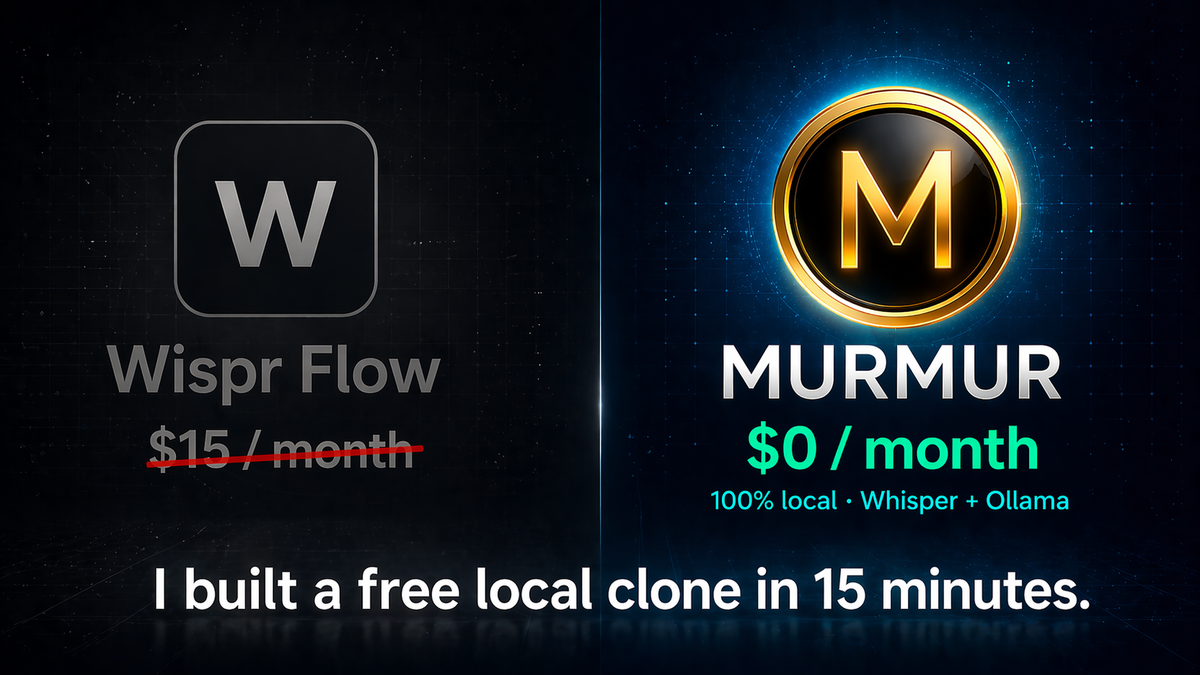
I was happy with both of those for a while. Then I wasn't. So I spent one Claude Code session building a free, local version. I called it Murmur — quiet, local, on your machine. It lives in my system tray as a little gold "M."
What the Free Wispr Flow Alternative Does
A Windows tray app. Hold Ctrl + Win, talk, release. The app:
- Records the audio
- Transcribes it locally with Whisper on my GPU
- Sends the raw transcript to a local Qwen 2.5 7B model running in Ollama, which removes filler, adds punctuation, and capitalizes proper nouns
- Pastes the cleaned text into whatever app I was just in
End-to-end, on a 3060 12GB, it's about a second and a half from key release to text appearing. Wispr Flow on a cloud GPU is faster — under a second — but Wispr also costs money and listens to my microphone over the internet. For local, free, and unlimited, a second and a half is a great trade.
The Open-Source Stack
- faster-whisper with the
small.enmodel — 0.3 to 0.5 seconds to transcribe a typical sentence on the GPU - Ollama running
qwen2.5:7bfor the cleanup pass — about 1 second once warm - pynput for the global hotkey listener and to simulate Ctrl+V on paste
- pystray + a small Tkinter overlay for the tray icon and the "Listening / Processing" status bubble
- Claude Code wrote the whole thing in one session
One Python file. No subscription. No API keys. No data leaves the box.
The Secret Sauce: A Strict Cleanup Prompt
Local 7B models are strong, but they need direction. If you just say "clean this up" they paraphrase, formalize, and add words you didn't say. The fix is a tight prompt with worked examples. Here's the exact prompt powering Murmur's cleanup pass:
You clean up dictated text. Follow the rules and study the examples.

RULES:
- Remove meaningless filler words (um, uh, like, you know) — keep them only when they carry meaning.
- Add natural punctuation and capitalization.
- Always end statements with a period, questions with a question mark.
- Capitalize proper nouns, product names, and brand names
  (e.g., Whisper Flow, Claude, Bambu, DaVinci Resolve).
- Apply spoken self-corrections ("scratch that", "actually I meant",
  "no wait") — remove the struck-out portion, keep only the corrected version.
- Preserve these terms EXACTLY as written: {dictionary}
- Do NOT add words that weren't spoken. Do NOT change meaning.
  Do NOT formalize the tone. Do NOT wrap in quotes.
  Do NOT add preamble or explanation.

EXAMPLES:

INPUT:   hey can you um send me the file when you get a chance
CLEANED: Hey can you send me the file when you get a chance?

INPUT:   i was thinking we could go to the store actually no the park
CLEANED: I was thinking we could go to the park.

INPUT:   testing this whisper flow thing
CLEANED: Testing this Whisper Flow thing.

INPUT:   yeah so the bambu printer is having issues again
CLEANED: Yeah, so the Bambu printer is having issues again.

NOW CLEAN THIS DICTATION:
INPUT:   {text}
CLEANED:
The {dictionary} token is a list of proper nouns the user manages from the tray menu — names of family, products, projects, anything Whisper might mishear. Those terms get fed to Whisper as biasing prompt and protected during cleanup so the LLM doesn't "correct" them away.
Six worked examples is the difference between a 7B model that adds words and one that doesn't. If you're building any local-LLM tool that needs strict format obedience, write the examples first.
The Build Prompt for Claude Code
If you want to recreate this, paste the following into Claude Code in an empty folder. It will produce a working version of the app:
Build me a free local replacement for Wispr Flow on Windows.

Hard requirements:
- Hold Ctrl+Win to record, release to paste cleaned text into
  the focused field.
- faster-whisper for local transcription (small.en, GPU when
  available, fallback to CPU/int8).
- Ollama HTTP for cleanup (default qwen2.5:7b) — remove fillers,
  add punctuation, capitalize proper nouns, apply self-corrections.
  Use a strict system prompt with worked examples.
- pystray tray icon with idle / listening / processing states +
  a floating Tk bubble for status.
- Custom dictionary file that biases Whisper recognition AND
  is preserved during cleanup.
- Settings UI (Tkinter) for hotkey, model, cleanup backend.
- Stats tracking: total words dictated, sessions.
- No paid API. Strip ANTHROPIC_API_KEY before any subprocess call.
- Single-file Python app, launch via pythonw.exe so no console
  window appears.
- Add Ollama's bundled CUDA DLLs to PATH at startup so
  faster-whisper can use the GPU without a separate CUDA install.
Wispr Flow vs. Free Local Clone: Side-By-Side
| Feature | Wispr Flow ($15/mo) | Local Clone (free) |
|---|---|---|
| Cost | $15/month | $0/month |
| Privacy | Cloud-only (audio uploaded) | 100% local, no data leaves your PC |
| End-to-end latency | ~1 second | ~1.5 seconds on one PC (3060 GPU); under 1 second with the work offloaded |
| Streaming transcription | Yes | Not yet (planned) |
| Custom dictionary | Yes | Yes |
| Filler removal & punctuation | Yes (proprietary model) | Yes (Qwen 2.5 7B + strict prompt) |
| Tone-matching per app | Yes (Slack vs Gmail) | Single tone (extendable) |
| Mobile apps | iOS + Android | Desktop only (Windows) |
| Open source & modifiable | No | Yes — one Python file |
Speed: How Fast Is a Local Wispr Flow Clone?
Three architectural choices keep the latency low:
- GPU transcription. Whisper on a 3060 chews through a five-second sentence in under half a second.
- Persistent local LLM. Ollama keeps the cleanup model warm in VRAM. No subprocess spawn, no network hop, no cold-start.
- Ollama auto-unload. When you're not actively dictating, Ollama frees the model after about five minutes — so ComfyUI and other GPU work get the full card back.
I tried wiring the cleanup pass through Claude Code's CLI subprocess first. Each call took 7 to 15 seconds — the CLI is heavy, it loads plugins and hooks every time, and Anthropic's network round trip adds latency. Ollama is a tenth of that, free, and offline.
Update (October 2026): Now Under One Second
Five months in, I hit a wall: on a day my graphics card was busy training an AI voice, every dictation took around 12 seconds. Murmur was fighting the training job for GPU memory. So I took dictation off the graphics card completely:
- Speech-to-text moved to NVIDIA's Parakeet model, running on the CPU. Murmur can now send audio to any Wyoming speech server, so the model can run in another process or on another computer. Parakeet transcribes five seconds of speech in about a quarter of a second, with no graphics memory at all.
- The cleanup moved to my Mac. Murmur's cleanup can now point at Ollama on any machine on your network. Lots of people already use a Mac (especially a Mac mini) as their always-on AI box, and a new keep-alive setting holds the model in memory, so there's no cold start.
The result, measured from Murmur's own log:
| Setup | Speech-to-text | Cleanup | Total |
|---|---|---|---|
| Everything on one busy GPU | 3.2 s | 9.3 s | ~12.5 s |
| Parakeet on CPU + cleanup on the Mac | 0.3 s | 0.4 s | ~0.75 s |
No Mac? The speech-to-text half doesn't need one: any computer's processor runs Parakeet. For the cleanup, any spare machine works (a mini PC or an old laptop), or keep it on your main PC if its graphics card isn't busy with other AI work. A fresh download still works on a single PC out of the box; the offloading is optional.
The same update also made Murmur sturdier: it restarts itself if it ever crashes, a second launch won't start a duplicate, the hotkey re-registers if Windows drops it, and the floating mic button can't get lost after a monitor change.
Where Wispr Flow Still Wins
Be honest about the gaps:
- Streaming transcription — Wispr starts transcribing while you're still talking. Mine waits for release. On long dictations they pull ahead.
- Tone-matching per app — Wispr writes more casually in Slack and more formally in Gmail. Mine has one tone.
- Mobile — Wispr has phone apps. Mine is desktop-only.
The streaming one is solvable with another iteration. The tone-matching is solvable too — just feed the active window title into the cleanup prompt. Saving those for the next session.
What This Cost
- Claude Code time, on my Max plan I already pay for
- Under 15 minutes from prompt to working tray app on my setup — I already had Ollama running with Qwen 2.5 7B pulled, and faster-whisper was already installed for another project
- Zero new subscriptions
If you're starting from scratch — installing Ollama, pulling a 7B model, installing Python and the dependencies — budget an extra hour or so for the downloads. Once those are in place, the actual app comes together in a single Claude Code conversation.
The marginal cost per dictation is whatever electricity my GPU draws while it transcribes a sentence. For a year of unlimited dictation that I'd otherwise pay $180 for.
The Lesson
Most popular SaaS AI tools right now are doing one of two things: a thin wrapper over a model you could run yourself, or a clever prompt over a model you could run yourself. Wispr Flow is closer to the second — their proprietary cleanup model is genuinely well-tuned. But the gap between their tuned model and a strict-prompted Qwen 2.5 7B is small, and the price difference is infinite.
If you have a 12GB GPU and Ollama installed, almost every productivity AI tool with a monthly fee is replaceable. The barrier isn't capability anymore. It's the willingness to spend an evening on it.
Frequently Asked Questions
Is there a free alternative to Wispr Flow?
Yes. You can build a fully free, local alternative using faster-whisper for transcription and Ollama running Qwen 2.5 7B for the AI cleanup pass. The whole stack runs on a Windows PC with an 8 GB+ GPU — no subscription, no API keys, no cloud. This article walks through the full build.
How fast is a local Wispr Flow clone?
On one PC with an NVIDIA RTX 3060 12 GB, end-to-end latency from key release to cleaned text appearing is about 1.5 seconds. Whisper transcribes a typical sentence in 0.3–0.5 seconds, and Qwen 2.5 7B's cleanup pass takes around 1 second once the model is warm. With speech-to-text on a CPU Parakeet server and the cleanup on a second machine (a Mac, in my case), it drops to about 0.75 seconds, on par with Wispr Flow's cloud version, which costs $15/month. See the October 2026 update.
What model should I use for dictation cleanup with Ollama?
Qwen 2.5 7B Instruct is the sweet spot: fast (~5 GB VRAM), strong instruction-following, and good at preserving the speaker's tone. For lower-end GPUs, qwen2.5:3b or llama3.2:3b run in ~2 GB and are still usable for filler removal and punctuation. Avoid reasoning models like Qwen 3 — the thinking tokens add multi-second latency, which kills the dictation feel.
Will a local dictation tool conflict with ComfyUI or other GPU apps?
Ollama auto-unloads idle models after about five minutes, so when you're not actively dictating, your GPU is free for other workloads. During active dictation, Whisper plus a 7B cleanup model uses around 6 GB of VRAM. On a 12 GB card you can run light SDXL workflows alongside; for heavy workloads like Wan 14B or Hunyuan, drop the cleanup model to qwen2.5:3b or set Whisper to CPU.
Does Wispr Flow upload my voice to the cloud?
Yes. Wispr Flow is cloud-only. Your audio is sent to their servers for transcription and AI cleanup. They offer a Privacy Mode toggle that disables retention, but the data still leaves your machine. A self-hosted clone using local Whisper and Ollama keeps everything on your computer — no data ever leaves the box.
Do I need to pay for Claude Code to build this?
Claude Code requires a Claude Pro or Max subscription. If you already have one, building this app costs nothing extra — and the finished app uses 100% local models with no ongoing cost. You can also build it manually following the source code and prompts in this article.
How long does it take to build?
Under 15 minutes if you already have Ollama, a cleanup model, and faster-whisper installed. Add an extra hour or so if you're starting from scratch — most of that time is downloads (Ollama, the model, Python packages), not actual coding.
Tools Used in This Build
Claude Code
The AI coding assistant from Anthropic. Wrote the whole Murmur app in one session, debugging and all.
Try Claude Code →Ollama
Run local language models on your own hardware. The cleanup pass uses qwen2.5:7b through Ollama's HTTP API.
Visit Ollama →faster-whisper
OpenAI's Whisper model, accelerated. Local transcription in under half a second per sentence on a mid-range GPU.
View on GitHub →Curious What Hardware Runs This?
The full PC, GPU, and AI software stack I use every day — including the 3060 12GB that powers Murmur, Jarvis, and ComfyUI side-by-side.
See My PC & AI Setup →Build Your Own in 15 Minutes
Two ways to start: clone the repo and run install.bat, or copy the Claude Code build prompt and let it generate the whole app for you. Both routes are free.