My Home Assistant smart home setup.
This is the system I am building in my own house: Home Assistant running locally, Zigbee devices around the rooms, voice speakers where I actually use them, and Jarvis layered on top for alerts, media, and hands-free control.
 Media + Plex
Watch the local Jarvis smart home setup.
This walkthrough shows the Home Assistant, Zigbee2MQTT, Zigbee devices, and Jarvis pieces working together in the actual setup.
My Local Jarvis Smart Home Setup - Home Assistant, Zigbee2MQTT, and a local-first smart home layout.
The basic layout.
Home Assistant is the main hub. Zigbee2MQTT manages the Zigbee network. The USB coordinator starts the mesh, and the devices around the house feed information back into Home Assistant.

Home Assistant
This is where the dashboards, automations, lights, sensors, and device states live. It is the main control panel for the house.
Zigbee coordinator
The Smekitlly USB dongle connects Zigbee2MQTT to the devices in the house, including motion sensors, door sensors, leak sensors, buttons, lights, and smart plugs.
Amazon source
Voice control
I am setting this up so I can use it while walking around, not just when I am sitting at the computer.

Jarvis 2.0
Jarvis sits on top of the setup and connects smart home control with media, local AI, project notes, and my PC.
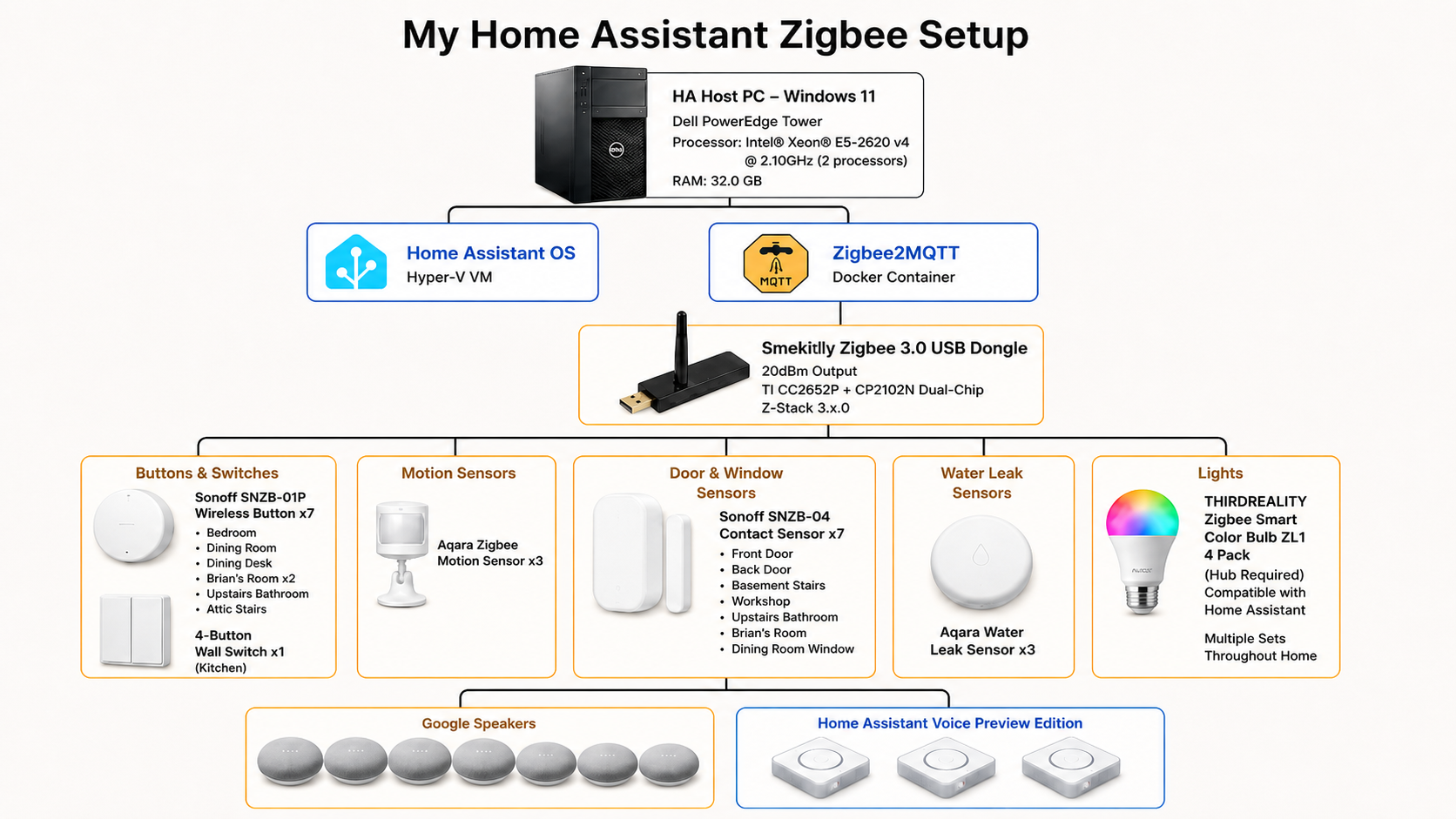
My Home Assistant and Zigbee tree
This is how I have the main pieces laid out: the Windows 11 host, Home Assistant OS, Zigbee2MQTT, the USB coordinator, and the Zigbee devices grouped by type.
Click a device in the diagram for the exact source.
Open related device listThe devices doing the work.
These are the parts that make the automations useful. Some detect movement or doors opening, some watch for leaks or air quality, and some help carry the Zigbee signal through the house.
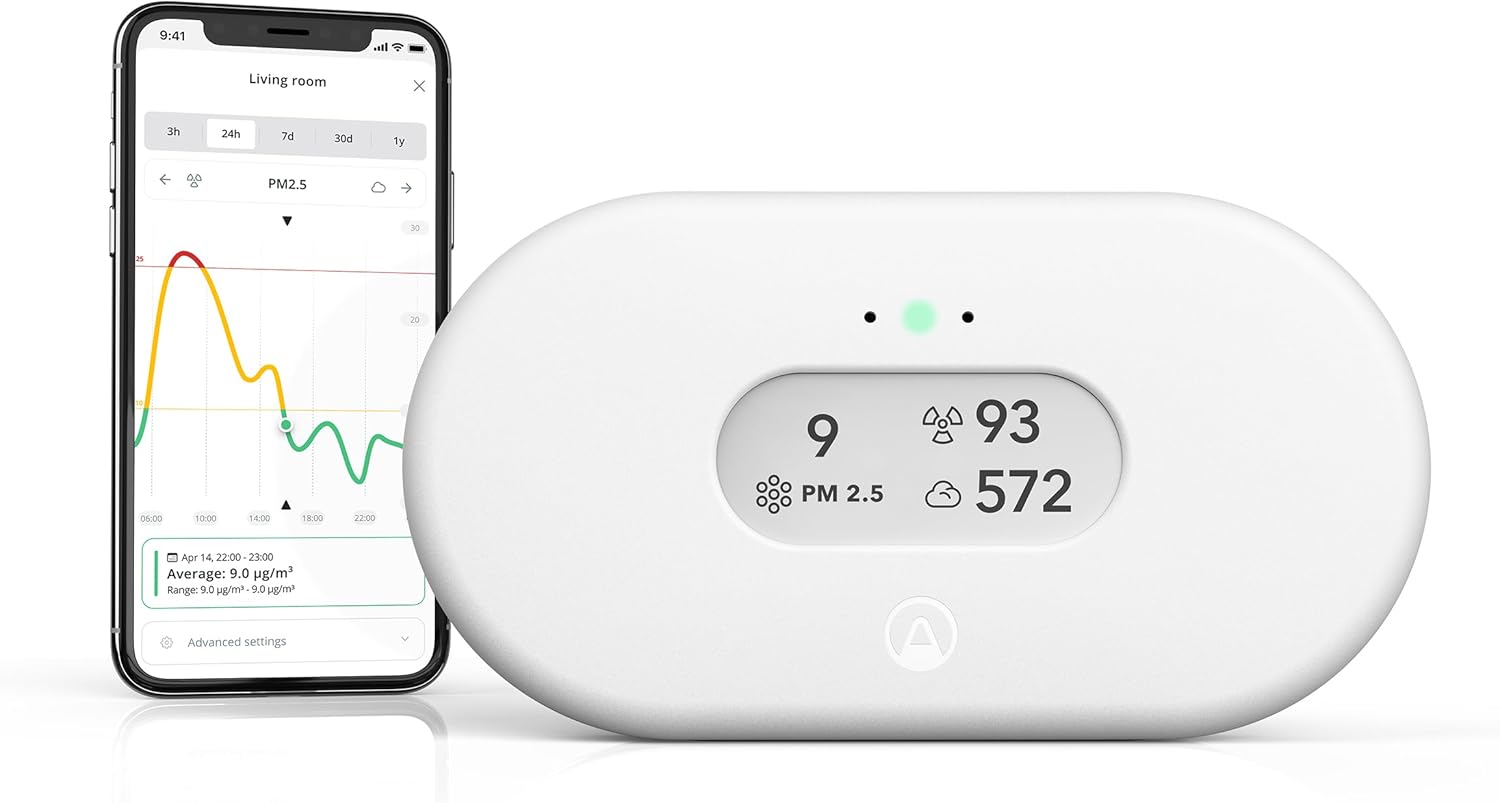
Air quality monitor
I use this for CO2, humidity, temperature, and air quality readings, so the house can show or announce when something needs attention.
Amazon source
Motion and door sensors
These tell Home Assistant when someone is in a room, when a door opens, or when a simple automation should run.
Motion sensor source Door sensor source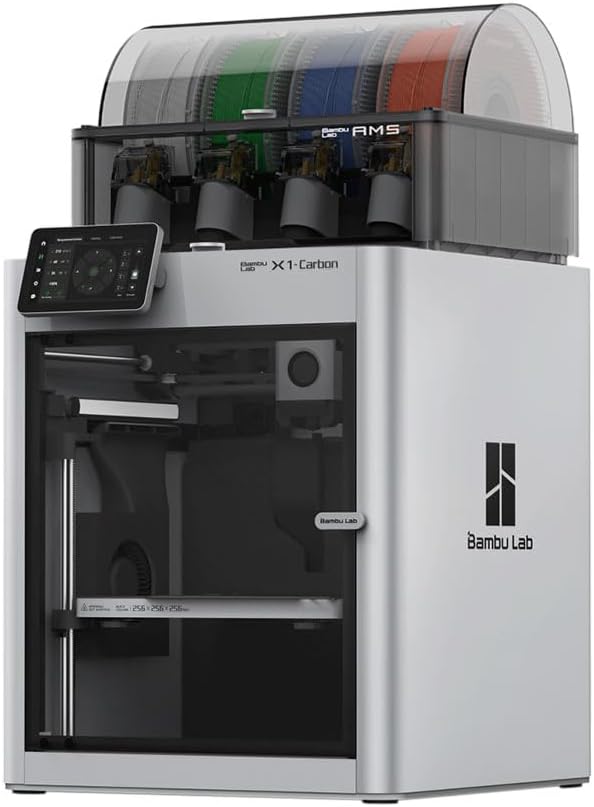
Workshop and 3D printer
The setup also reaches into the maker space, so printer and workshop alerts can show up through Jarvis instead of being missed.
Bambu Lab source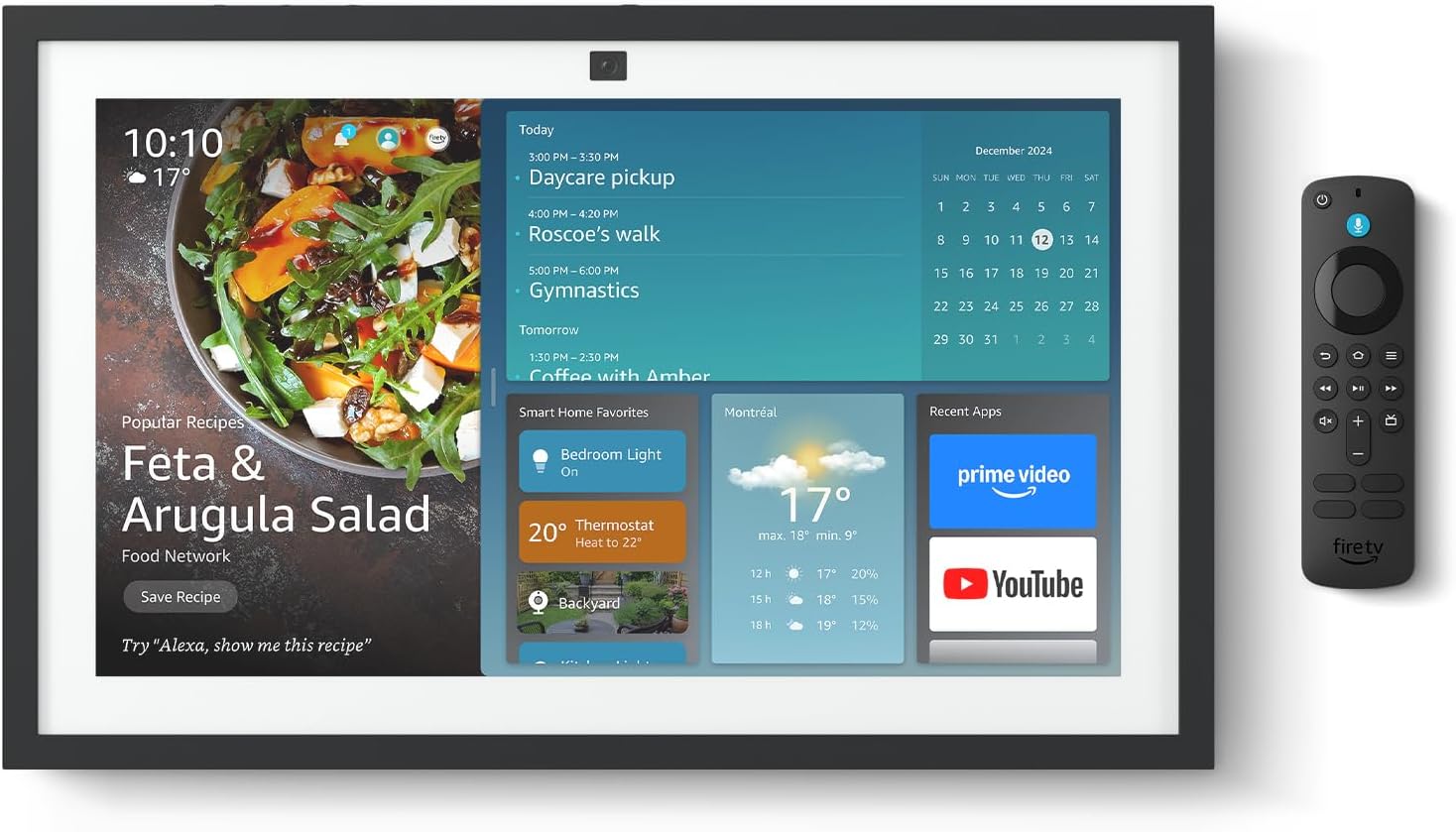
Speakers and room screens
These are how I talk to the house and get spoken alerts back in the rooms where I spend time.
Amazon source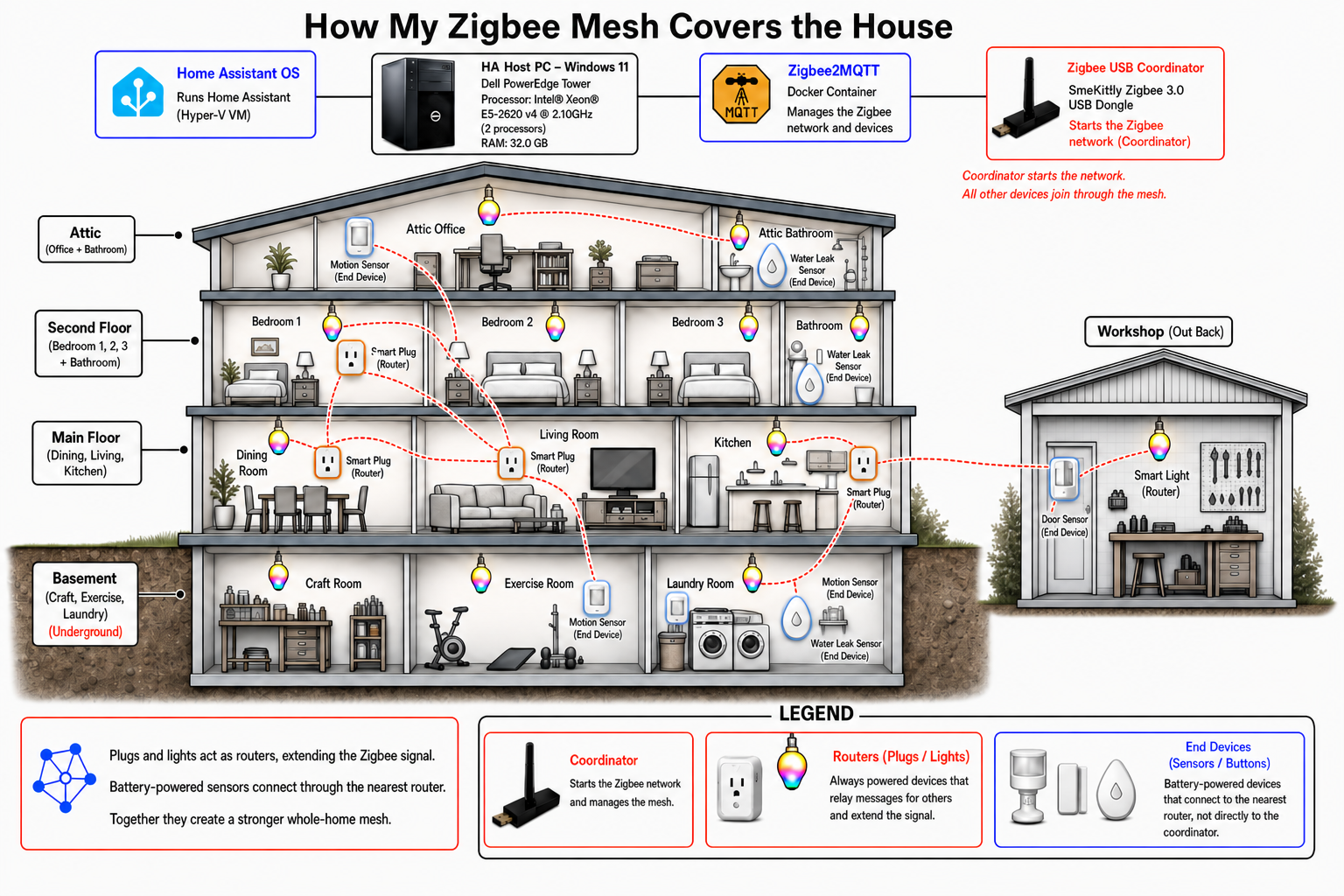
How the Zigbee mesh reaches the house
The THIRDREALITY Zigbee plugs act as routers in the mesh. They stay powered, repeat the Zigbee signal, and give the battery sensors a stronger nearby path back to Home Assistant. That is what helps cover the basement, main floor, upstairs, attic, and workshop.
Click a THIRDREALITY plug, light, sensor, or coordinator for the exact source.
Open related device listWhere Jarvis fits in.
Home Assistant runs the devices. Jarvis is the assistant I am building around it: voice commands, media control, alerts, project memory, and help when something needs fixing.
One Jarvis app
I am moving the controls into Jarvis 2.0 so there is one main place for voice, chat, media, screenshots, and smart home actions.
One Stop command
If Jarvis is listening, talking, playing media, or running an action, Stop should shut that down cleanly.
Plex and music control
I want normal commands like play, pause, resume, stop, and next track to go to the right place without me having to touch the computer.
Local memory
Jarvis is also being wired into local memory, so it can answer questions about my setup and projects from stored facts instead of guessing.
Documenting the build
I am going to break this down into videos and posts: the parts I used, the automations I made, the things that worked, and the things I had to fix.
Voice coverage around the house.
The speakers are placed where I actually use them: office, kitchen, living room, bedrooms, craft room, and workshop.
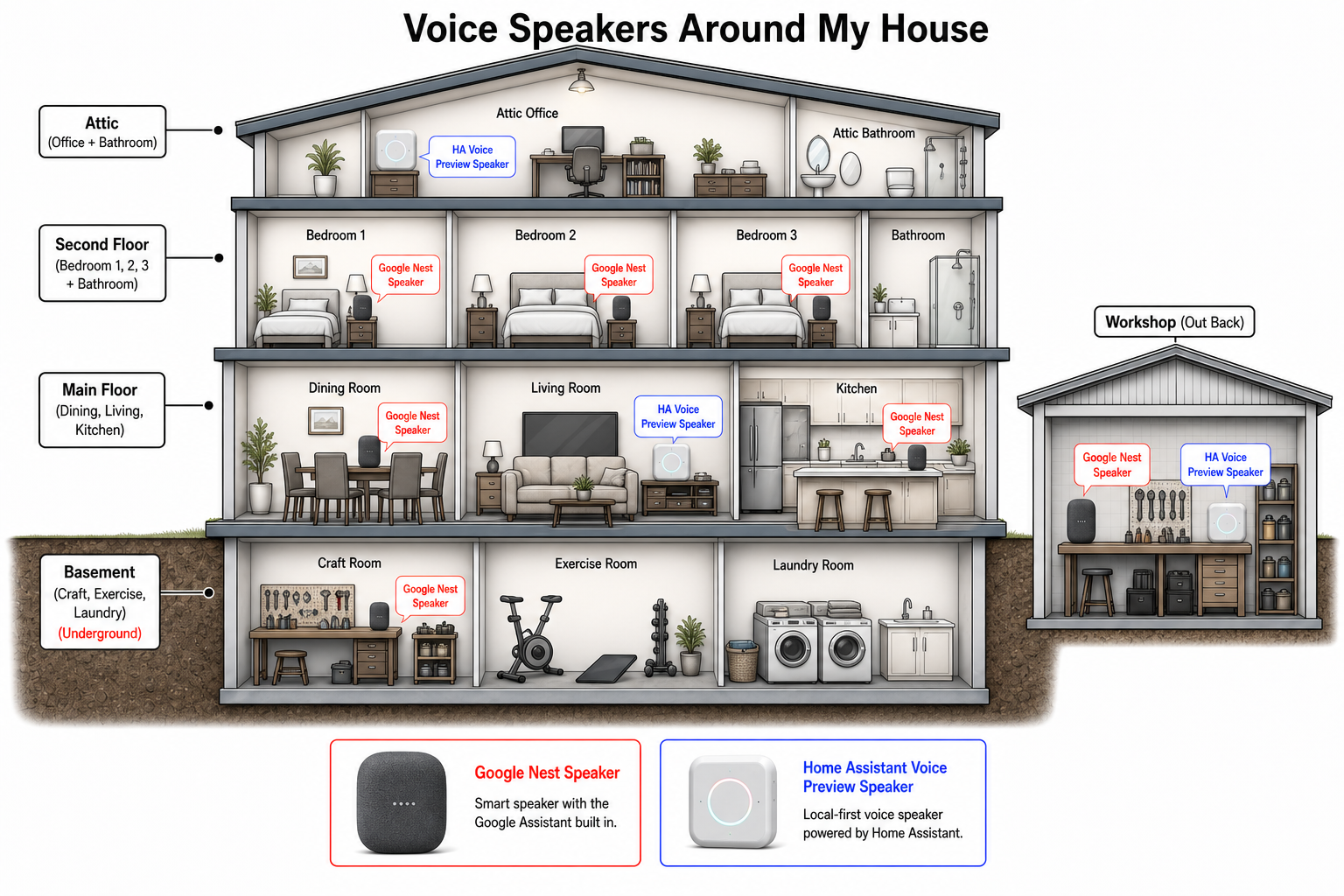
Where the speakers are
Some rooms use Google Nest speakers. Others use Home Assistant Voice Preview speakers. The goal is simple: I should be able to talk to the house from the rooms where I am already working.
Click a speaker type in the diagram for the source.
Open related speaker listWhat I am covering next.
This page will grow as I film the setup and write up the parts that are useful to other people building a real Home Assistant setup.
Home Assistant tour
How I organized the rooms, dashboards, automations, and integrations.
Sensor map
Where the motion, door, leak, air-quality, button, plug, and light devices are placed.
Voice commands
How commands move from a speaker to Jarvis, Home Assistant, Plex, YouTube Music, and the PC.
What breaks
The real-world problems too: dropouts, timeouts, restarts, and how I fix them.
Build inventory
See the devices behind the setup, with photos, notes, and source links for the parts I am actually using.