Short on time? Watch the 3-minute version.
The Leak at 4:57 AM
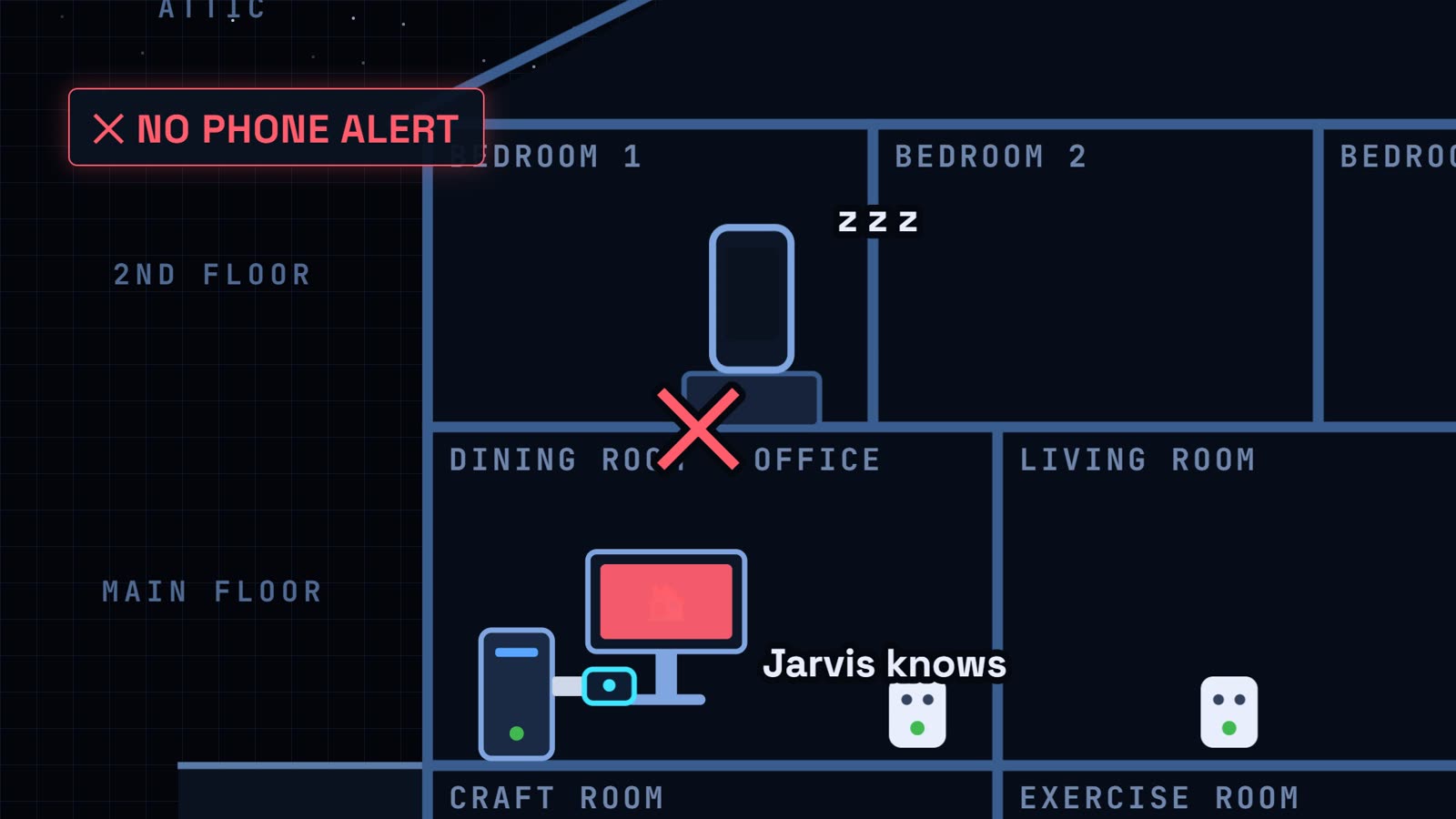
At 4:57 in the morning, water started dripping in my laundry room. My Aqara leak sensor caught it in seconds and reported it to Home Assistant over Zigbee. Everything worked exactly the way it was supposed to.
And my phone never made a sound.
The only thing that knew was Jarvis, my assistant on the PC, and I wasn't sitting at my computer at five in the morning. So later that day I opened Claude Code and asked it to find out why. It found the problem, and then it found two more I didn't know I had.
The 4-Step Method for Any Smart Home Problem
Here's the idea that made this whole afternoon easy, and it works whether you use AI or not.
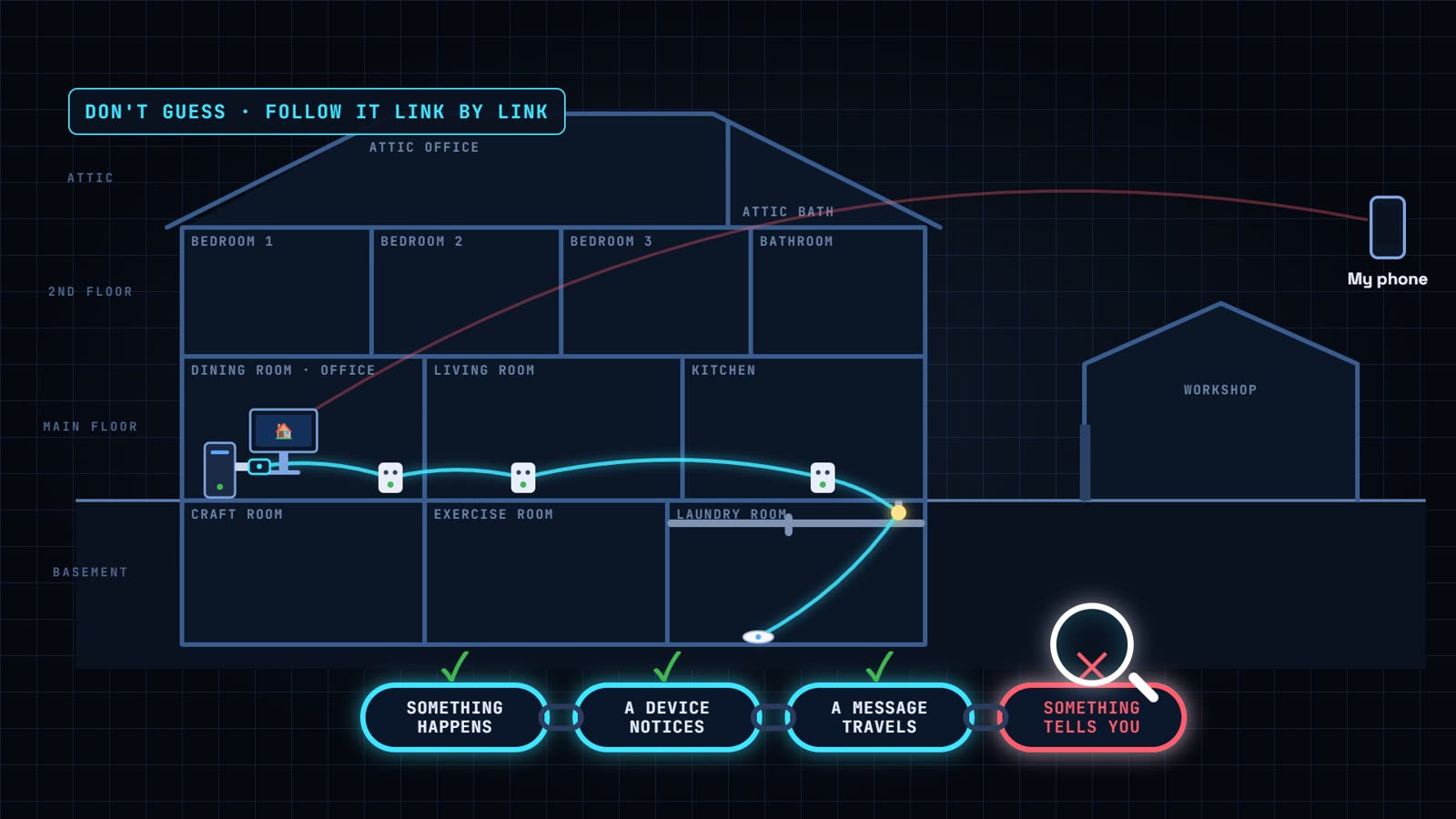
Every smart home alert is really a chain. Something happens. A device notices. A message travels. And something at the end tells you. When the chain breaks, don't guess. Follow it one link at a time until you find the broken one.
- What's the symptom? Say exactly what failed. "The sensor saw water, but my phone stayed silent."
- Trace the path. List every link between the event and you.
- Find the broken link. Check each one, in order.
- Fix it, and make sure it can't fail quietly again.
My Home Assistant Setup in One Minute
A quick tour so the rest makes sense:
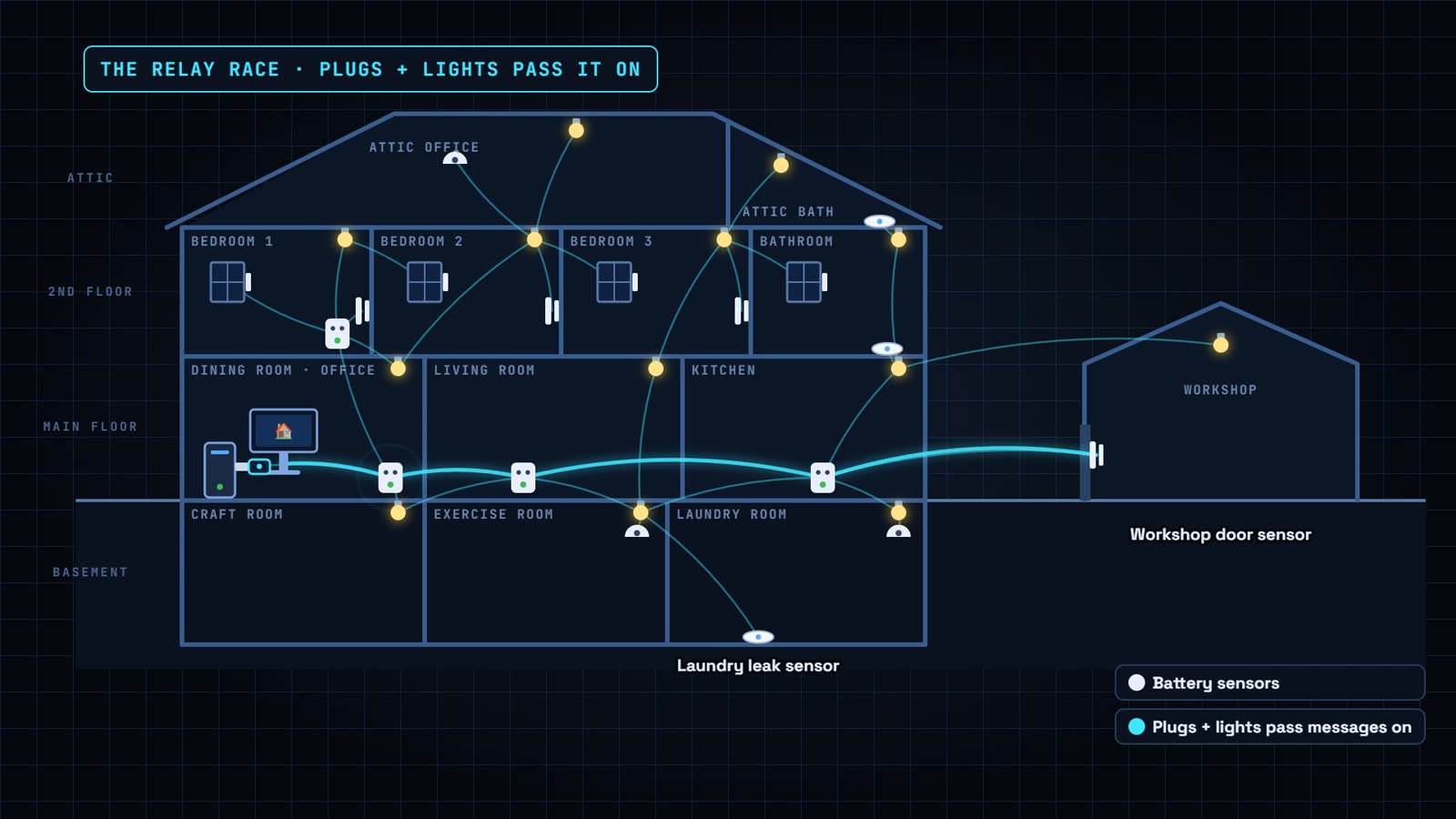
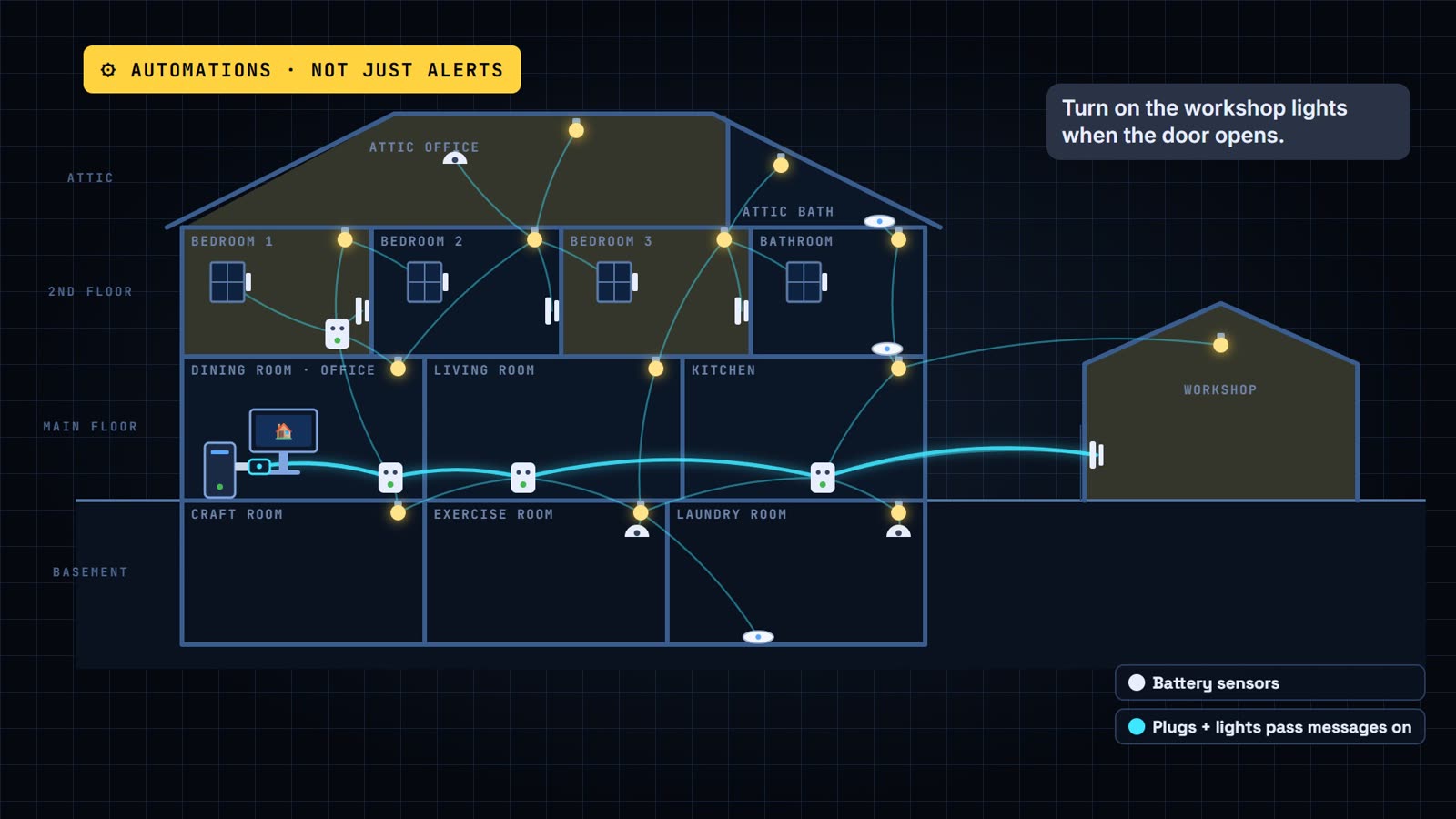
- Home Assistant is the brain. It runs in a virtual machine on a workstation in my dining-room office.
- A small Zigbee USB stick is plugged into that computer. Zigbee is the low-power radio most of my sensors use.
- Battery sensors are everywhere: doors, windows, motion and water leaks, on every floor and out in the workshop.
- They don't all talk to the stick directly. Smart plugs and bulbs are always powered, so they pass messages along like a relay race. That's a Zigbee mesh.
And Home Assistant doesn't just send alerts. It runs automations. A door opens and the lights come on. Just about anything you can think of, it can automate.
Here's the best part: Claude sets up those automations for me. I just tell it what I want, like "Turn on the workshop lights when the door opens," and it builds the automation and tells me when it's done. When something important happens, Home Assistant lets me know through my phone, my speakers or Jarvis.
The AI doing the troubleshooting is Claude Code. It runs on my PC and talks to Home Assistant directly through its API, so it can read sensor history, check automation traces and make changes. I mostly answered questions.
Case 1: The Leak Alert With No Rule
Symptom: the sensor saw water, but my phone stayed silent.
The path: water hits the sensor. The sensor tells Home Assistant over Zigbee. Home Assistant runs an automation, and that automation sends the alert to my phone.
Claude checked each link in order. Link one: did the sensor see the water? At first Claude said no. The sensor had been dry all day. I told it that definitely wasn't true, and it found its own mistake. Its history search only covered one day. Looking again, the sensor detected water at 4:57 and was still wet.
So the sensor was fine, and so was Zigbee. The broken link was the rule. Nothing was set up to send a leak alert to my phone at all. Only Jarvis knew.
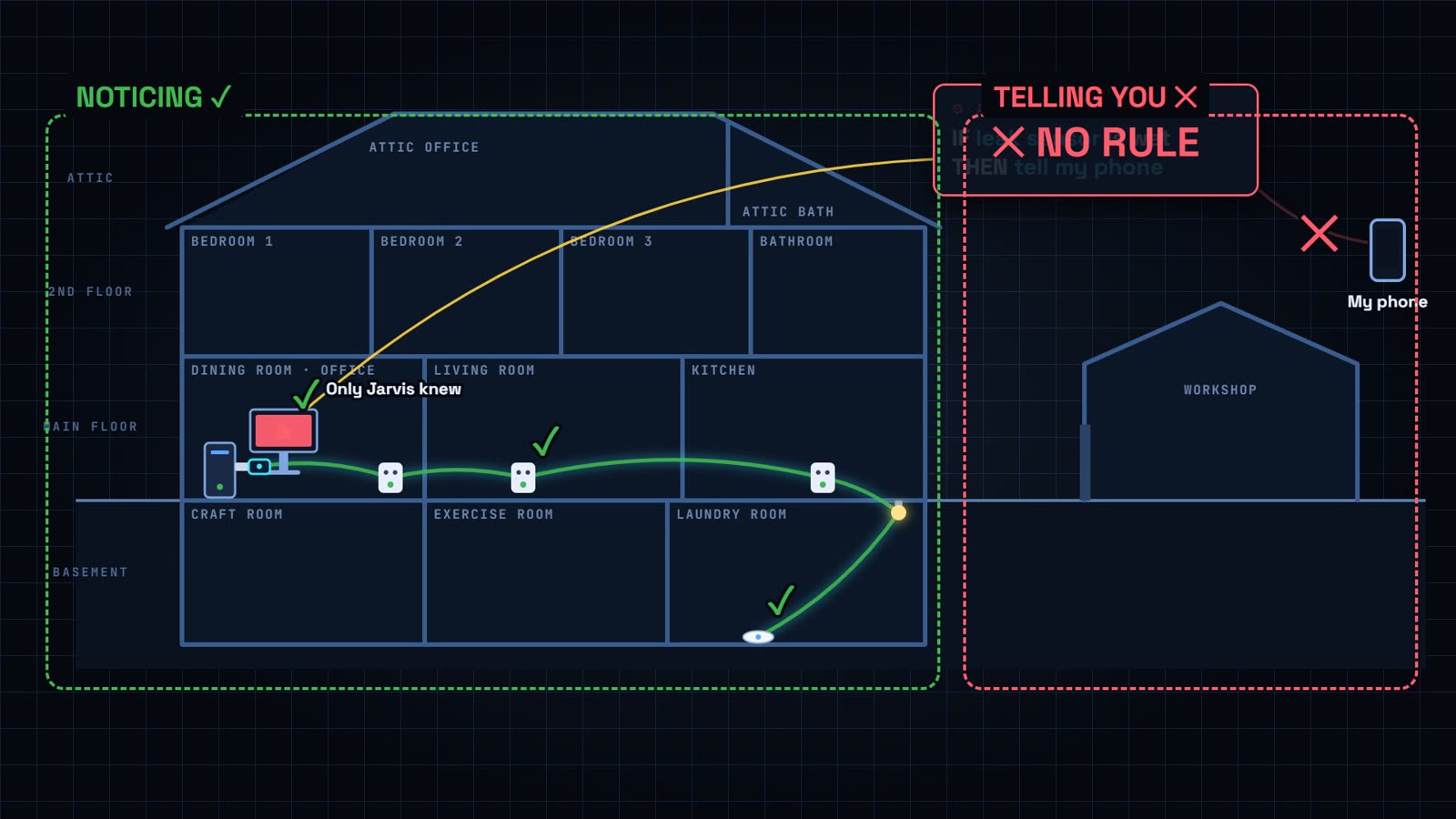
This is the sneaky part about smart homes. A sensor can work perfectly and you still never hear about it. Noticing a problem and telling you about it are two separate jobs, and you have to set up both.
The new leak alert
Claude built a proper leak alert:
- It pops up on my phone right away, even when the phone is on silent.
- From 8 AM to midnight, the phone also says it out loud.
- Overnight it's text only, so it doesn't wake the whole house.
- There's a button to stop the reminders, and I get an all-clear when the sensor dries.
If you want to build your own, here's a simplified version to adapt. Swap in your own sensor and your phone's notify action:
alias: Leak alert - laundry room
triggers:
  - trigger: state
    entity_id: binary_sensor.laundry_leak_sensor_water_leak
    to: "on"
actions:
  - action: notify.mobile_app_YOUR_PHONE
    data:
      title: "Water leak!"
      message: "The laundry room sensor detected water."
      data:
        ttl: 0
        priority: high
        actions:
          - action: STOP_LEAK_REMINDERS
            title: "Stop reminders"
  - if:
      - condition: time
        after: "08:00:00"
        before: "23:59:59"
    then:
      - action: notify.mobile_app_YOUR_PHONE
        data:
          message: TTS
          data:
            tts_text: "Water leak in the laundry room."
            media_stream: alarm_stream_max
Or do what I did: describe it to Claude in plain English and let it write the YAML for your setup.
Then the alert showed up late
When we tested it, the alert arrived late. Samsung phones put apps to sleep to save battery. Three settings fixed it:
- Set the Home Assistant app's battery use to Unrestricted.
- Add it to Never sleeping apps.
- In the Home Assistant app, turn on the persistent connection (Settings → Companion app).
The Hidden Problem: Eight Silent Alerts
While Claude was checking my alerts, it found something worse. Eight of my other alerts were failing too. Silently.
Here's what happened, in plain English. When Home Assistant sends something to your phone, it uses an address for that phone, a notify action like notify.mobile_app_your_phone. The Home Assistant app on your phone sets it up.
Back in May, the app on my phone was set up again, and my phone got a new address. My eight alerts kept sending to the old one. Nothing was there anymore, so the messages just disappeared. Nothing popped up anywhere to tell me.
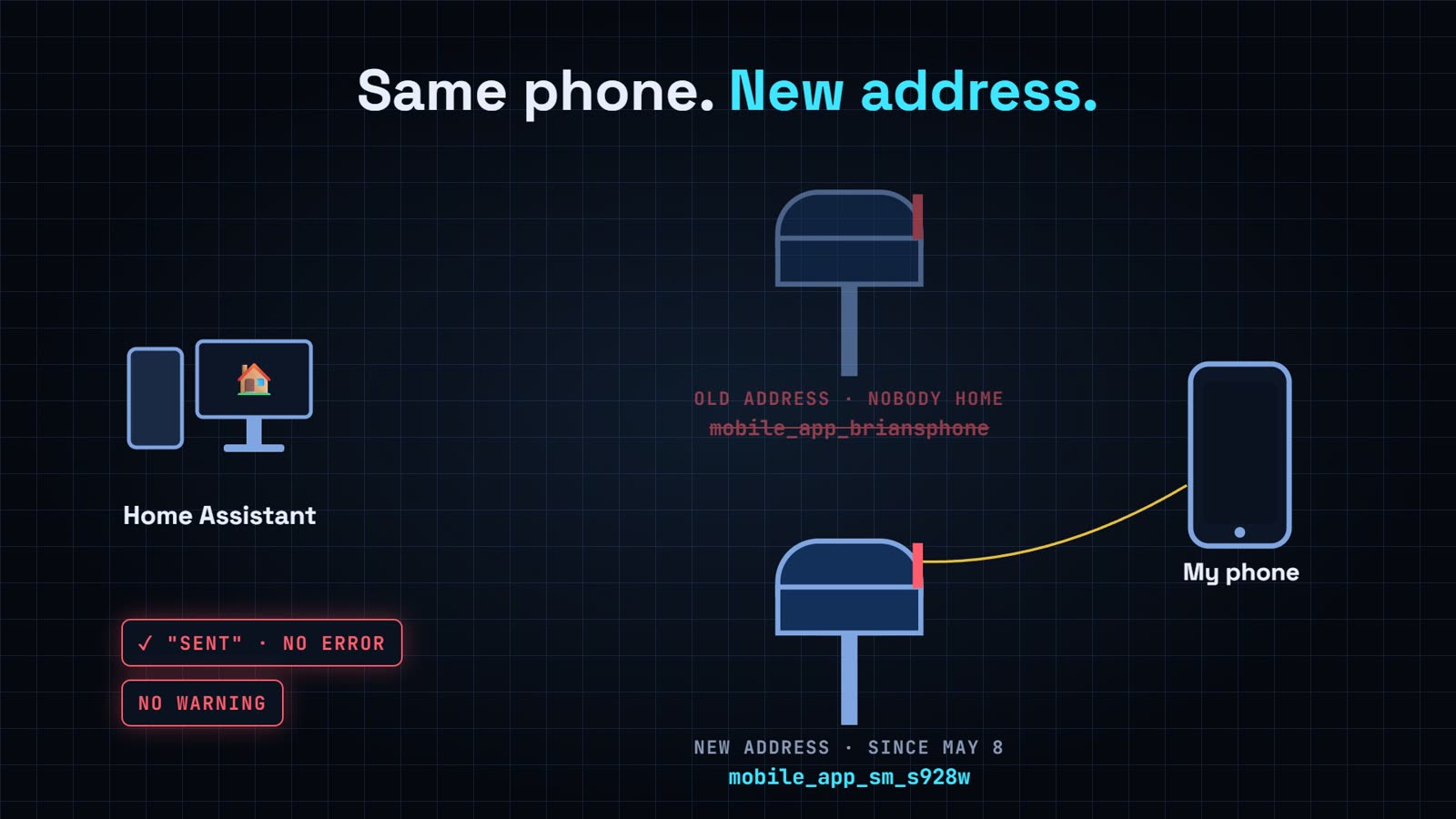
Claude pointed all eight alerts at the new address. To check your own: open Developer tools → Actions, type notify.mobile_app and note your phone's current name. Then search your automations for any that still use an old one.
Case 2: One Dead Plug, One Silent Door
Symptom: I hadn't heard my workshop door alert in months.
Same method: follow the path from the sensor to my phone. Link one: is the sensor even talking? Claude couldn't find a workshop door sensor anywhere on the network. We tried pairing it again, and nothing reached it.
Then I mentioned that my laundry room plug had moved to the kitchen. Remember the relay race? That plug was one of the runners. Claude pinged every smart plug in the house. Three answered in under half a second. That one stayed silent. It still switched power, but its Zigbee radio was dead, and it was the door sensor's only connection to the house.
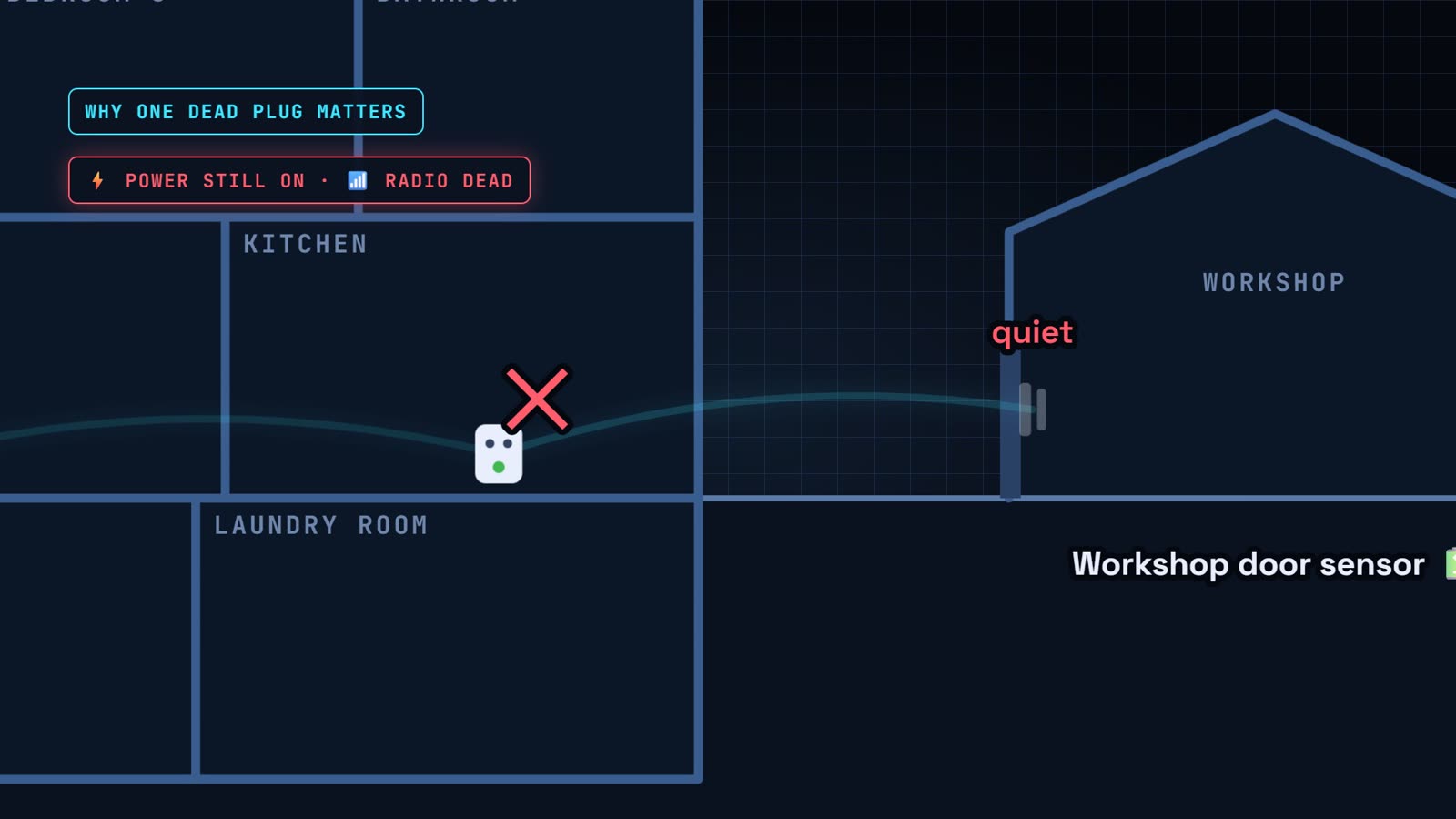
I moved a working plug onto that wall, and the signal came back at 160 out of 255. I pressed the sensor's button and it showed up right away.
Plot twist: it had been on the network the whole time, named "Workshop Door Sensor." Its last alert was back in May. And its alert was one of the eight going to the old phone address. Two problems, one sensor. Now my phone says "workshop door opened" any time of day.
Why one dead plug can take out a sensor
Battery sensors save power by not passing messages along. They hand them to a powered device nearby, usually a smart plug. If that plug's radio dies, everything leaning on it goes quiet too. From the outside the plug looks fine, because the power still works. Some sensors, Aqara's in particular, are known for sticking with their original router instead of finding a new one.
Case 3: The Speaker Stuck on Listening
My attic speaker is a Home Assistant Voice Preview Edition, and a full review of these speakers is coming soon.
Symptom: I'd ask it something and it would just sit there, stuck on "listening."
The path: the speaker records my voice and sends it to a small helper program on my PC that turns speech into text. Home Assistant works out the answer and sends it back to the speaker.
The first thing Claude did was read its own notes from the last time this happened. Then it checked the helper's log. The log just stopped on September 30th with no error. That helper had been started by hand in an earlier session, and it quit when that session closed. Since then, every request in the attic got stuck at listening.
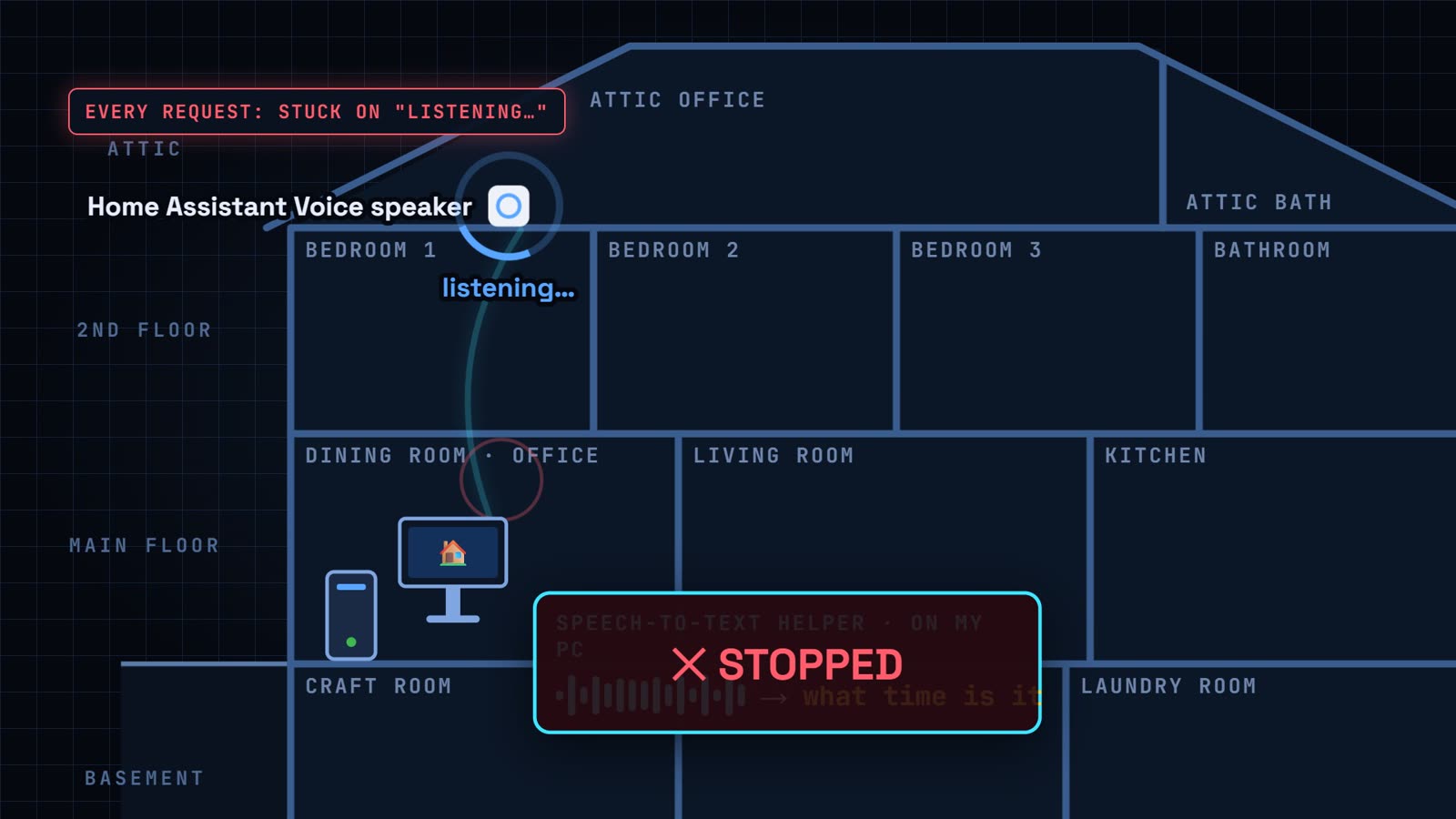
Claude restarted it as a scheduled task, then made Jarvis start it automatically from now on. A minute later, someone asked the attic speaker what time it was, and it answered right away: 1:58 in the afternoon.
Bonus: Updating Home Assistant After Four Months
While we were in there, I admitted I hadn't updated Home Assistant in about four months. Twenty-three updates were waiting. Updates are where smart homes break, because a big update can change how things work. So Claude's plan was simple:
- Back up first. The full backup was about 1.5 GB.
- Skip what shouldn't change. It held back the firmware update for my attic speaker, because that speaker runs a custom fix I didn't want overwritten.
- Small updates first. It installed the add-on updates and checked that every add-on came back up.
- Read the breaking changes. Before touching Home Assistant itself, it read four months of release notes and checked each backward-incompatible change against my actual setup. Nothing blocked the update, so it went ahead.
- Confirm the version. The operating system update was sneakier. It downloaded, but the virtual machine never restarted to apply it. Claude noticed, rebooted it and confirmed it came back on version 18.3.
Your Home Assistant Alert Checklist
Three problems, one afternoon. The real takeaway is the method: start with the symptom, trace the path, find the broken link, then fix it and make sure it can't fail quietly again. Here's the checklist I use now:
- Back up before you update.
- Test that your alerts actually reach your phone, all the way.
- Re-check your notifications any time your phone or the app changes.
- Keep an eye on the plugs your Zigbee sensors depend on.
Your turn: what should Claude troubleshoot in my house next? Tell me in the comments on the video.
Frequently Asked Questions
Why is my Home Assistant notification not reaching my phone?
Check the chain in order. Did the sensor change state? Did the automation actually run (open it and look at its trace)? Is it sending to your phone's current notify action? If you reinstalled the app or got a new phone, the name often changes. On Samsung and other Android phones, also set the app's battery use to Unrestricted so it isn't put to sleep.
Why did my Home Assistant notifications stop after reinstalling the app?
When the companion app registers again, your phone can get a new device name and, with it, a new notify action, such as notify.mobile_app_sm_s928w. Automations that still call the old one no longer reach your phone. Open Developer tools → Actions, search for notify.mobile_app to find the current name, and update every automation that uses the old one.
Why did my Zigbee sensor go offline when the smart plug still has power?
Battery Zigbee sensors don't relay messages. They hand them to a powered router nearby, usually a smart plug or bulb. If that plug's Zigbee radio dies, it can still switch power normally while every sensor leaning on it goes quiet. Ping your routers, replace any that don't answer, and keep a working powered Zigbee device near every battery sensor.
Why is my Home Assistant Voice speaker stuck on listening?
"Stuck on listening" usually means the speech-to-text step never answered. Check the speech-to-text service your voice assistant uses first, especially if it runs on another computer. Mine had been started by hand and quit when that session closed. Making it start automatically fixed it.
Can Claude control Home Assistant?
Yes. Claude Code runs on my PC and talks to Home Assistant through its API using a long-lived access token. It can read sensor history, check automation traces, create and edit automations from a plain-English request, and run updates. Treat that token like a password, and never paste it anywhere public.
Is it safe to update Home Assistant after months without updating?
Yes, if you go in order. Take a full backup first. Read the backward-incompatible changes in every release you skipped and check them against your setup. Install small add-on updates before Core. Then confirm the version number actually changed after each update.
Gear in This Video
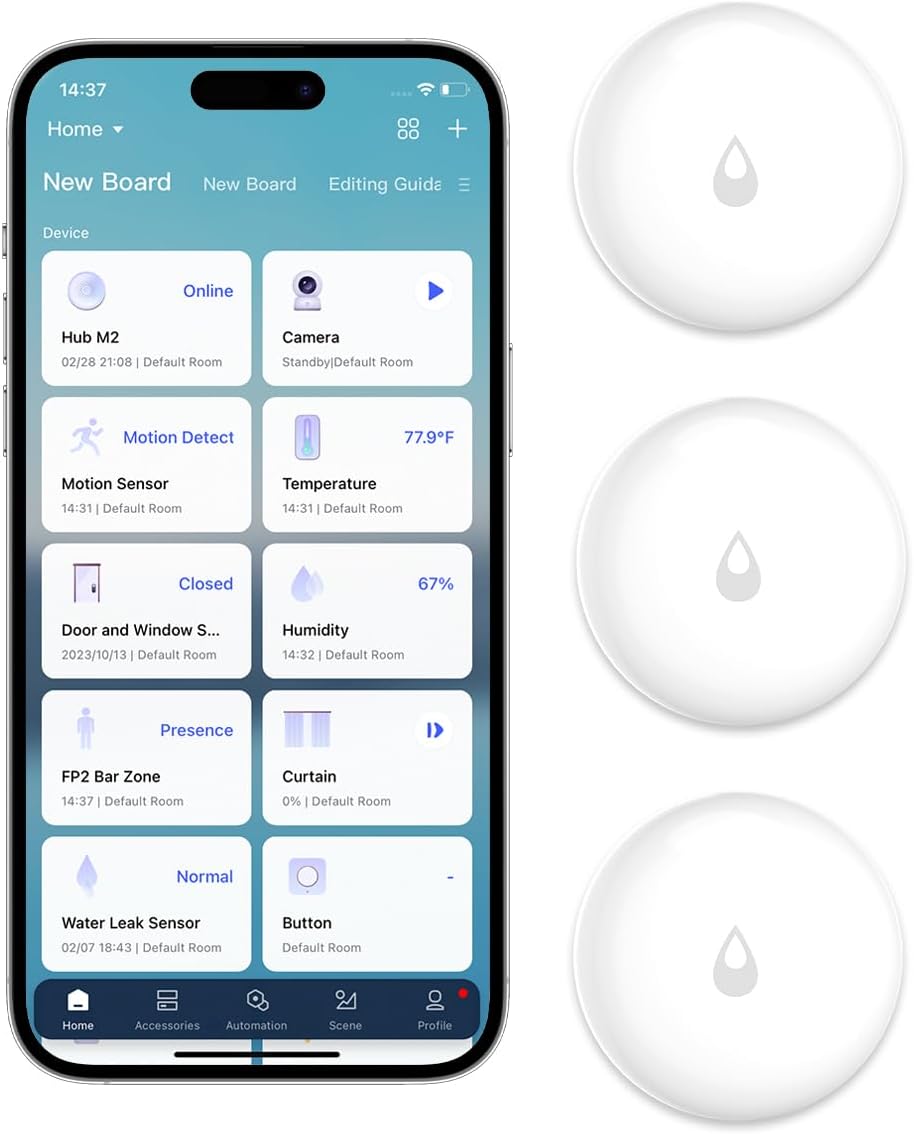
Aqara Water Leak Sensor (3 Pack)
The sensor that caught the 4:57 AM leak. Zigbee, tiny, and it sits under the washer, sinks and water heater.
View on Amazon →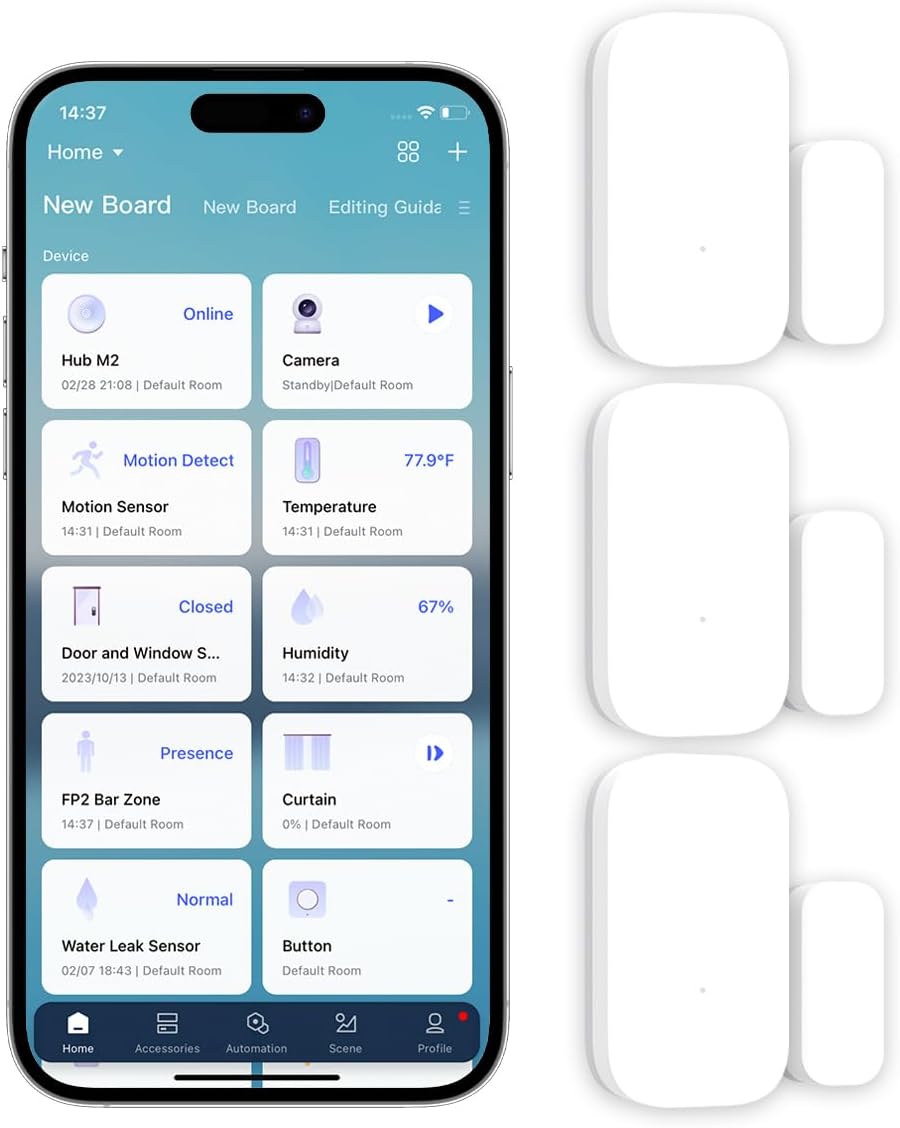
Aqara Door & Window Sensor (3 Pack)
The workshop door sensor from Case 2. It also triggers my "door opens, lights on" automations.
View on Amazon →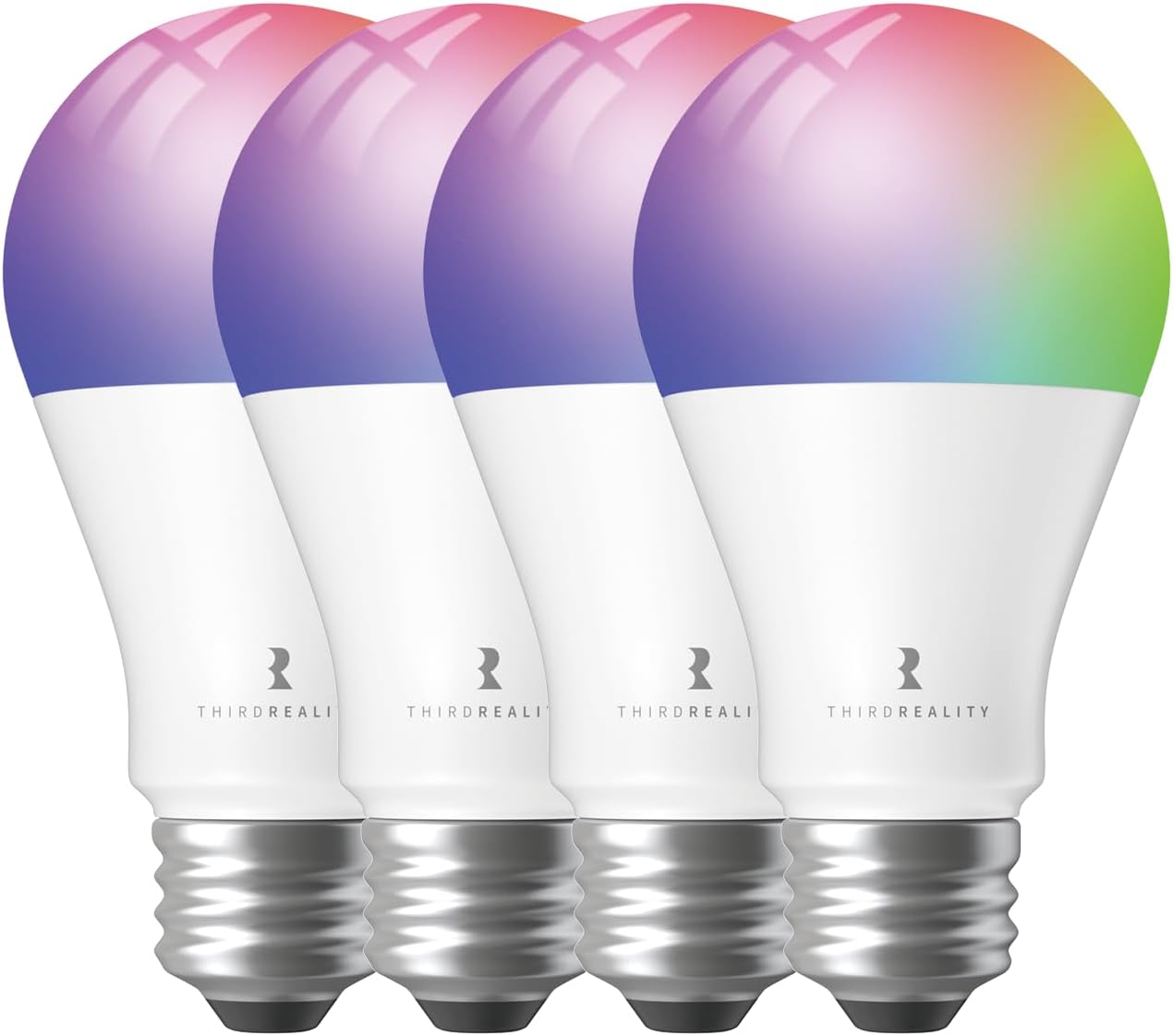
THIRDREALITY Zigbee Smart Plug (4 Pack)
Powered Zigbee routers: the relay runners for my battery sensors. Energy monitoring too.
View on Amazon →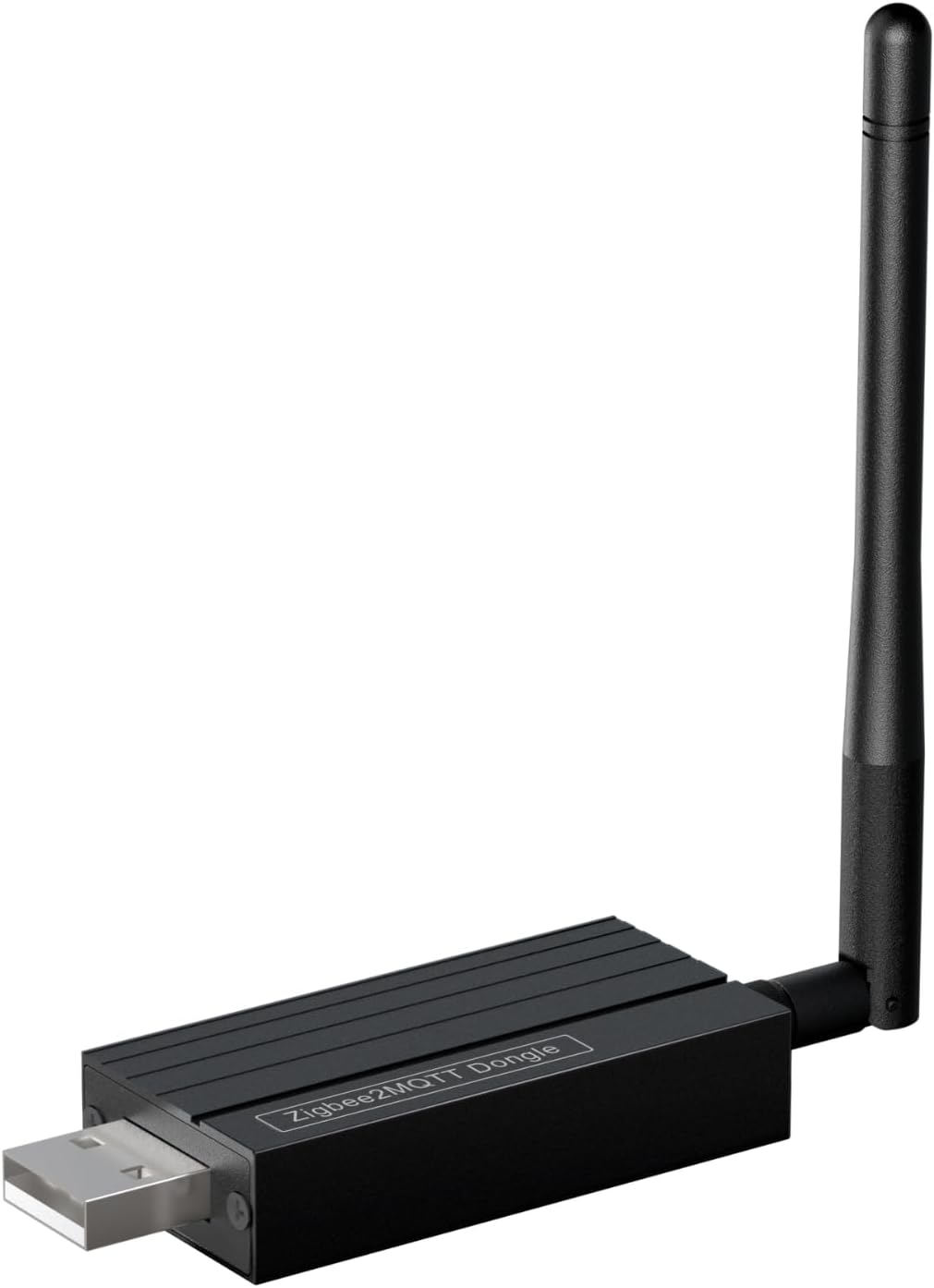
Zigbee 3.0 USB Dongle
The coordinator plugged into my Home Assistant computer. Every Zigbee message ends up here.
View on Amazon →Home Assistant Voice Preview Edition
The attic speaker from Case 3: a local voice assistant built for Home Assistant. Full review coming soon.
See where to buy →Claude Code
The AI that did the digging. It talks to Home Assistant directly and builds automations from plain English.
Try Claude Code →See the Whole Smart Home
Every sensor, plug, light and speaker in my house, plus how Home Assistant and Jarvis tie it all together.